When to Expect Your Tax Forms
1099-Consolidated tax forms (including 1099-DIV, 1099-B, 1099-INT, 1099-OID, and 1099-MISC) are issued by Altruist in three phases, based on the complexity of your financial portfolio. Altruist will be sending tax documents out to clients as expediently as possible throughout the month of February and March. You will receive an email alert from AltruistFinancialLLC@investordocuments.com as soon as your documents have been uploaded.
For full details on your Altruist tax forms, and when you can expect to receive them, please refer to the Altruist Tax Center.
Where to Find Your Tax Forms
- Log in to Altruist: https://app.altruist.com/login
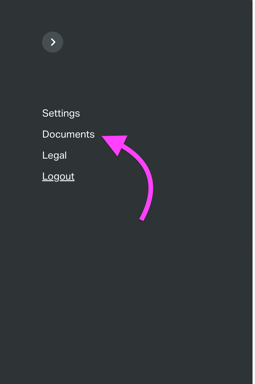
- Navigate to Documents: Once logged in, click on your initials icon in the top-right corner of the page.
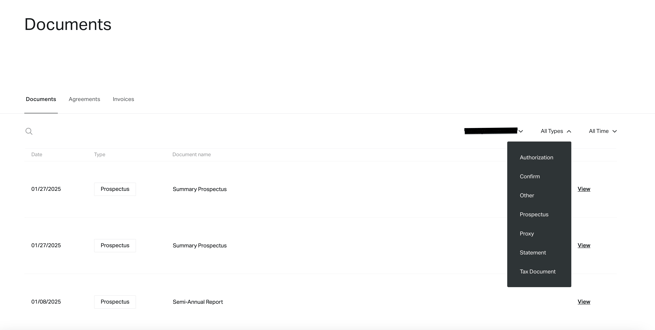
- Click on the Documents Tab:
- Use the Tax Documents Filter: In the Documents section, you can use the Tax Documents Type filter to locate your tax forms easily: